• WHO WE ARE
  • WHAT WE DO
    • Salesforce
      • Implementations
        • Sales Cloud
        • Service Cloud
        • CPQ
      • Developments
        • Salesforce Customization
        • Custom Application Development
        • AppExchange Product Development
      • Migrations
        • Classic to Lightning Migration
        • Other Systems to Salesforce Migration
      • Integrations
    • Field Service Solutions
      • Field Service for Enterprises
      • Field Service for SMBs
    • AI/ML Solutions
      • Agentic AI
  • HOW WE DO
    • Delivery Model
    • Our Works
    • Events
      • Employee Empowerment Series
      • Employee Engagement Series
      • Knowledge Sharing Sessions
  • REACH US
    • Contact Us
    • Careers
  • BLOG
    • WHO WE ARE
    • WHAT WE DO
      • Salesforce
        • Implementations
          • Sales Cloud
          • Service Cloud
          • CPQ
        • Developments
          • Salesforce Customization
          • Custom Application Development
          • AppExchange Product Development
        • Migrations
          • Classic to Lightning Migration
          • Other Systems to Salesforce Migration
        • Integrations
      • Field Service Solutions
        • Field Service for Enterprises
        • Field Service for SMBs
      • AI/ML Solutions
        • Agentic AI
    • HOW WE DO
      • Delivery Model
      • Our Works
      • Events
        • Employee Empowerment Series
        • Employee Engagement Series
        • Knowledge Sharing Sessions
    • REACH US
      • Contact Us
      • Careers
    • BLOG
  • [email protected]
  • (+91) 44-49521562
Merfantz - Salesforce Solutions for SMEs
  • WHO WE ARE
  • WHAT WE DO
    • Salesforce
      • Implementations
        • Sales Cloud
        • Service Cloud
        • CPQ
      • Developments
        • Salesforce Customization
        • Custom Application Development
        • AppExchange Product Development
      • Migrations
        • Classic to Lightning Migration
        • Other Systems to Salesforce Migration
      • Integrations
    • Field Service Solutions
      • Field Service for Enterprises
      • Field Service for SMBs
    • AI/ML Solutions
      • Agentic AI
  • HOW WE DO
    • Delivery Model
    • Our Works
    • Events
      • Employee Empowerment Series
      • Employee Engagement Series
      • Knowledge Sharing Sessions
  • REACH US
    • Contact Us
    • Careers
  • BLOG
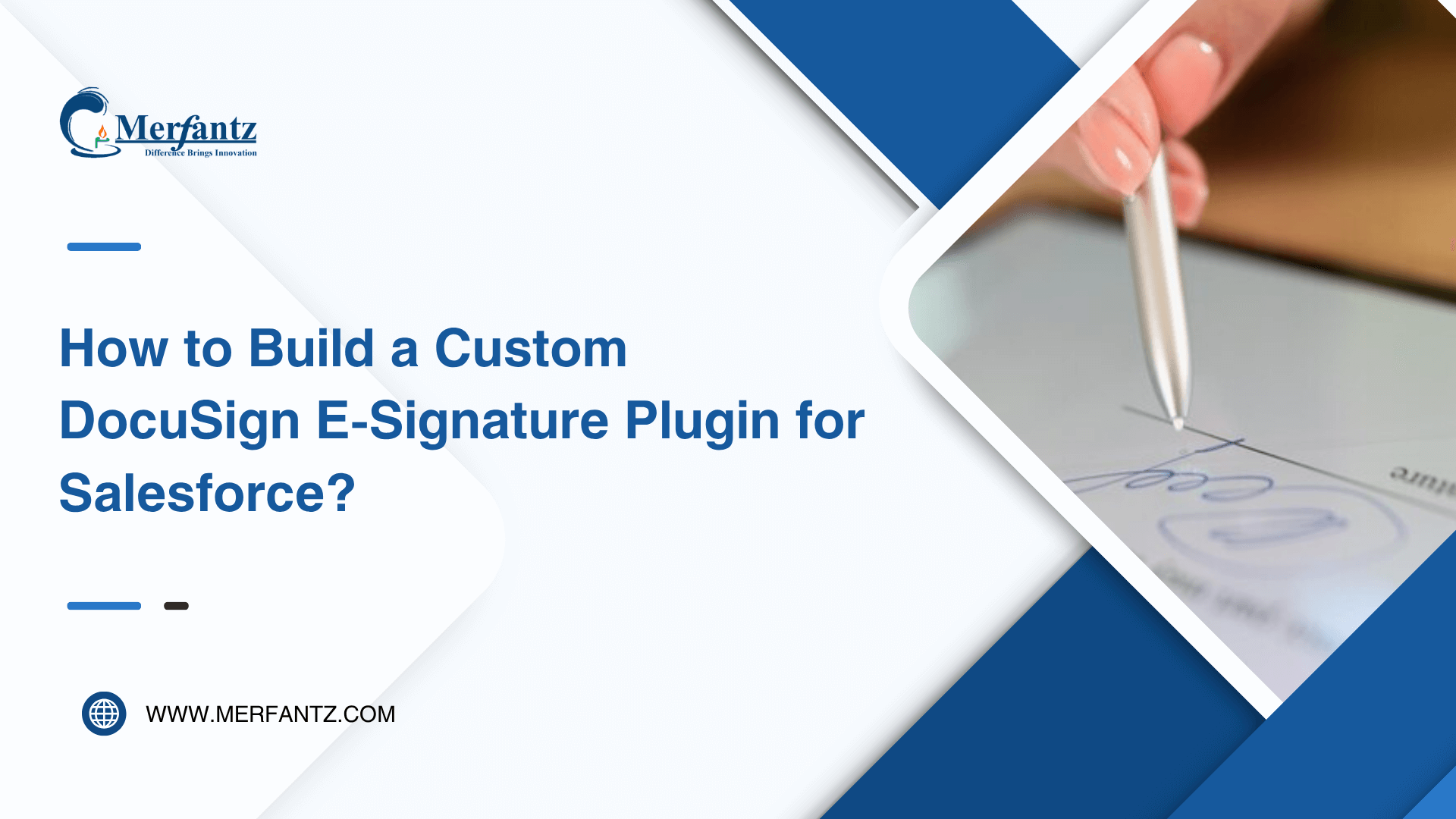
How to Build a Custom DocuSign E-Signature Plugin for Salesforce
  • July 30, 2025
  • Merfantz Marketing
  • 0

Following an upgrade from the legacy DocuSign package to the modern DocuSign App Launcher, our Salesforce org encountered a key limitation: built-in Salesforce e Signature support was no longer available. This disrupted the quote approval process, which had previously been fully automated through Salesforce CPQ as part of our broader contract management Salesforce strategy.

To overcome this, our team designed and implemented a custom digital signature solution—a Salesforce e-Signature Plugin backed by a Visualforce page Salesforce redirector. This restored and even improved upon the original Salesforce DocuSign integration functionality.

The Challenge

The upgrade introduced critical blockers in our Salesforce workflow automation:

  • Salesforce E Signature Integration Removed – Quotes could no longer be sent directly via the new Salesforce DocuSign integration package.
  • Manual Document and Recipient Setup – Sales reps had to manually configure envelope and recipient details, impacting the speed and reliability of digital signature solutions.
  • Risk of Sending Outdated Documents – Without automation, there was no guarantee the latest quote would be used.
  • Disjointed User Flow – The multi-step process broke the smooth Salesforce workflow automation, resulting in inefficiency and confusion.

The Custom Apex Signature Plugin: Core of the Solution

We created a custom Apex class that implements Salesforce CPQ’s Electronic Signature Plugin interface, allowing us to hook into the quote document workflow. This ensured continued support for Salesforce e Signature within our contract management Salesforce ecosystem.

What the Plugin Does:

  • Identifies the most recent quote document
  • Passes necessary parameters to a Visualforce page Salesforce redirector
  • Triggers the Salesforce DocuSign integration process with minimal user input, aligning with our goal of seamless digital signature solutions

Technical Limitation: No DML Operations Allowed in Plugin Class

Salesforce prohibits DML inside ElectronicSignaturePlugin implementations. To get around this, we separated the DML logic by introducing a Visualforce page Salesforce that runs in a separate transaction. This approach kept our Salesforce workflow automation intact.

Full Apex Signature Plugin Class

global class CPQDocusignPlugin implements SBQQ.ElectronicSignaturePlugin, SBQQ.ElectronicSignaturePlugin2, SBQQ.ElectronicSignaturePlugin3 {

global void send(List<SBQQ__QuoteDocument__c> docs) {

System.debug(JSON.serializePretty(docs));

}

global void updateStatus(List<SBQQ__QuoteDocument__c> docs) {

System.debug(JSON.serializePretty(docs));

}

global void revoke(List<SBQQ__QuoteDocument__c> docs) {

System.debug(JSON.serializePretty(docs));

}

global String sendWithRedirect(List<SBQQ__QuoteDocument__c> docs) {

Id docId = docs[0].Id;

SBQQ__QuoteDocument__c quoteDoc = [

SELECT Id, SBQQ__Quote__c, SBQQ__DocumentId__c, Docusign_Template__c

FROM SBQQ__QuoteDocument__c

WHERE Id = :docId

LIMIT 1

];

String baseUrl = URL.getOrgDomainURL().toExternalForm();

return baseUrl + ‘/apex/DocusignRedirector?doc_id=’ + docId +

‘&qId=’ + quoteDoc.SBQQ__Quote__c +

‘&file_Id=’ + quoteDoc.SBQQ__DocumentId__c +

‘&temp_Id=’ + quoteDoc.Docusign_Template__c;

}

global String getSendButtonLabel() {

return ‘Send with DocuSign’;

}

global Boolean isSendButtonEnabled() {

return true;

}

}

Why a Visualforce Page Was Needed

The plugin can’t handle file conversion or database updates. So, we built a Visualforce page Salesforce (DocusignRedirector) to:

  • Perform DML safely
  • Convert the quote PDF to a ContentVersion record
  • Launch the actual Salesforce DocuSign integration flow

This solution offered better digital signature solutions and streamlined Salesforce workflow automation.

Streamlined Sales Rep Experience

A “Send with DocuSign” button was added next to “Generate Quote” on the Opportunity page. The process:

  1. Generate Quote – Creates the latest quote document
  2. Send with DocuSign – Plugin fetches required data → redirects to Visualforce page Salesforce → document sent through Salesforce e Signature.

Template Automation for Consistency

Using digital signature solutions via DocuSign templates, we automated recipient roles and field mappings. Reps no longer needed to:

  • Manually configure recipients
  • Modify envelope settings
  • Worry about quote version accuracy

This simplified contract management Salesforce practices while ensuring consistent Salesforce workflow automation.

Results

Metric

Before

After

Time to Send Quote

10–15 minutes < 1 minute

Document Accuracy

Unreliable

Fully Automated

Recipient Setup

Manual

Predefined Roles

Plugin Flexibility Limited

Custom Logic + Redirector


Takeaway

This solution highlights how to overcome Apex plugin limitations in Salesforce CPQ by separating signature logic and DML responsibilities. By introducing a lightweight Visualforce page Salesforce redirector, we restored functionality lost in the Salesforce DocuSign integration upgrade and streamlined the user experience.

Sales reps now benefit from a clean, error-proof, and fast Salesforce e Signature process—and the business gains improved compliance and turnaround times in contract management Salesforce.

  • Previous Employee Empowerment Series
  • Next Case Studies
How to Build a Custom DocuSign E-Signature Plugin for Salesforce
  • July 30, 2025
  • Merfantz Marketing
  • Salesforce, Uncategorized
  • 0

Following an upgrade from the legacy DocuSign package to the modern DocuSign App Launcher, our Salesforce org encountered a key limitation: built-in Salesforce e Signature support was no longer available. This disrupted the quote approval process, which had previously been fully automated through Salesforce CPQ as part of our broader contract management Salesforce strategy.

To overcome this, our team designed and implemented a custom digital signature solution—a Salesforce e-Signature Plugin backed by a Visualforce page Salesforce redirector. This restored and even improved upon the original Salesforce DocuSign integration functionality.

The Challenge

The upgrade introduced critical blockers in our Salesforce workflow automation:

  • Salesforce E Signature Integration Removed – Quotes could no longer be sent directly via the new Salesforce DocuSign integration package.
  • Manual Document and Recipient Setup – Sales reps had to manually configure envelope and recipient details, impacting the speed and reliability of digital signature solutions.
  • Risk of Sending Outdated Documents – Without automation, there was no guarantee the latest quote would be used.
  • Disjointed User Flow – The multi-step process broke the smooth Salesforce workflow automation, resulting in inefficiency and confusion.

The Custom Apex Signature Plugin: Core of the Solution

We created a custom Apex class that implements Salesforce CPQ’s Electronic Signature Plugin interface, allowing us to hook into the quote document workflow. This ensured continued support for Salesforce e Signature within our contract management Salesforce ecosystem.

What the Plugin Does:
  • Identifies the most recent quote document
  • Passes necessary parameters to a Visualforce page Salesforce redirector
  • Triggers the Salesforce DocuSign integration process with minimal user input, aligning with our goal of seamless digital signature solutions

Technical Limitation: No DML Operations Allowed in Plugin Class

Salesforce prohibits DML inside ElectronicSignaturePlugin implementations. To get around this, we separated the DML logic by introducing a Visualforce page Salesforce that runs in a separate transaction. This approach kept our Salesforce workflow automation intact.

Full Apex Signature Plugin Class

global class CPQDocusignPlugin implements SBQQ.ElectronicSignaturePlugin, SBQQ.ElectronicSignaturePlugin2, SBQQ.ElectronicSignaturePlugin3 {

global void send(List<SBQQ__QuoteDocument__c> docs) {

System.debug(JSON.serializePretty(docs));

}

global void updateStatus(List<SBQQ__QuoteDocument__c> docs) {

System.debug(JSON.serializePretty(docs));

}

global void revoke(List<SBQQ__QuoteDocument__c> docs) {

System.debug(JSON.serializePretty(docs));

}

global String sendWithRedirect(List<SBQQ__QuoteDocument__c> docs) {

Id docId = docs[0].Id;

SBQQ__QuoteDocument__c quoteDoc = [

SELECT Id, SBQQ__Quote__c, SBQQ__DocumentId__c, Docusign_Template__c

FROM SBQQ__QuoteDocument__c

WHERE Id = :docId

LIMIT 1

];

String baseUrl = URL.getOrgDomainURL().toExternalForm();

return baseUrl + ‘/apex/DocusignRedirector?doc_id=’ + docId +

‘&qId=’ + quoteDoc.SBQQ__Quote__c +

‘&file_Id=’ + quoteDoc.SBQQ__DocumentId__c +

‘&temp_Id=’ + quoteDoc.Docusign_Template__c;

}

global String getSendButtonLabel() {

return ‘Send with DocuSign’;

}

global Boolean isSendButtonEnabled() {

return true;

}

}

Why a Visualforce Page Was Needed

The plugin can’t handle file conversion or database updates. So, we built a Visualforce page (DocusignRedirector) to:

  • Perform DML safely
  • Convert the quote PDF to a ContentVersion record
  • Launch the actual DocuSign signature flow

Streamlined Sales Rep Experience

A “Send with DocuSign” button was added next to “Generate Quote” on the Opportunity page. The process:

  1. Generate Quote – Creates the latest quote document
  2. Send with DocuSign – Plugin fetches required data → redirects to Visualforce → document sent.

Results

Metric

Before

After

Time to Send Quote

10–15 minutes

< 1 minute

Document Accuracy

Unreliable

Fully Automated

Recipient Setup

Manual

Predefined Roles

Plugin Flexibility

Limited

Custom Logic + Redirector

Takeaway

This solution highlights how to overcome Apex plugin limitations in Salesforce CPQ by separating signature logic and DML responsibilities. By introducing a lightweight Visualforce page Salesforce redirector, we restored functionality lost in the Salesforce DocuSign integration upgrade and streamlined the user experience.

Sales reps now benefit from a clean, error-proof, and fast Salesforce e Signature process—and the business gains improved compliance and turnaround times in contract management Salesforce.
Author Bio

Satheeskumar
Founder and CEO at Merfantz Technologies Private Limited | + Recent Posts
  • February 11, 2026
    From Solo Models to Collective Intelligence: Introducing LLM Council
  • August 26, 2025
    Revolutionizing Visual Recognition with YOLO-Based Object Detection
  • August 12, 2025
    Revolutionizing Workforce Management with AI-Based Facial Recognition Attendance System
  • August 5, 2025
    Transforming Invoice Processing with OCR: Seamless Integration of 900+ Transactions into Sage
Tags: #ApexDevelopment#CloudCRM#ContractManagement#CRMIntegration#CustomPlugin#DigitalSignature#DocuSign#ESignature#QuoteAutomation#SalesforceCPQ#SalesforceDevelopers#SalesforceIntegration#SalesforcePlugin#SalesforceSolutions#SalesforceWorkflows#SalesProcess#TechInnovation#WorkflowAutomationSalesforceVisualforce
  • Previous Transforming Invoice Processing with OCR: Seamless Integration of 900+ Transactions into Sage
  • Next Building Trust in the Age of AI Conversations: Merfantz Journey Toward Safer, Smarter Assistants
Merfantz Technologies is a leading Salesforce consulting firm dedicated to helping small and medium enterprises transform their operations and achieve their goals through the use of the Salesforce platform. Contact us today to learn more about our services and how we can help your business thrive.

Discover More

Terms and Conditions
Privacy Policy
Cancellation & Refund Policy
Information Security Policy

Contact Info

  • No 96, 2nd Floor, Greeta Tech Park, VSI Industrial Estate, Perungudi, Chennai 600 096, Tamil Nadu, INDIA
  • (+91) 44-49521562
  • [email protected]
  • 9:30 IST - 18:30 IST

Latest Posts

The Pricing Difference Between Agentforce and Einstein Copilot Explained April 2, 2026
How Salesforce Agentforce Is Implemented: A Step-by-Step Guide April 1, 2026
How to Build an Approval Process in Salesforce — The Right Way March 31, 2026

Copyright @2023 Merfantz Technologies, All rights reserved