
• WHO WE ARE
  • WHAT WE DO
    • Salesforce
      • Implementations
        • Sales Cloud
        • Service Cloud
        • CPQ
      • Developments
        • Salesforce Customization
        • Custom Application Development
        • AppExchange Product Development
      • Migrations
        • Classic to Lightning Migration
        • Other Systems to Salesforce Migration
      • Integrations
    • Field Service Solutions
      • Field Service for Enterprises
      • Field Service for SMBs
    • AI/ML Solutions
      • Agentic AI
    • NetSuite Consulting Services
    • App Development
  • HOW WE DO
    • Delivery Model
    • Our Works
    • Events
      • Employee Empowerment Series
      • Employee Engagement Series
      • Knowledge Sharing Sessions
  • REACH US
    • Contact Us
    • Careers
  • BLOG
    • WHO WE ARE
    • WHAT WE DO
      • Salesforce
        • Implementations
          • Sales Cloud
          • Service Cloud
          • CPQ
        • Developments
          • Salesforce Customization
          • Custom Application Development
          • AppExchange Product Development
        • Migrations
          • Classic to Lightning Migration
          • Other Systems to Salesforce Migration
        • Integrations
      • Field Service Solutions
        • Field Service for Enterprises
        • Field Service for SMBs
      • AI/ML Solutions
        • Agentic AI
      • NetSuite Consulting Services
      • App Development
    • HOW WE DO
      • Delivery Model
      • Our Works
      • Events
        • Employee Empowerment Series
        • Employee Engagement Series
        • Knowledge Sharing Sessions
    • REACH US
      • Contact Us
      • Careers
    • BLOG
  • [email protected]
  • (+91) 44-49521562
Merfantz - Salesforce Solutions for SMEs
  • WHO WE ARE
  • WHAT WE DO
    • Salesforce
      • Implementations
        • Sales Cloud
        • Service Cloud
        • CPQ
      • Developments
        • Salesforce Customization
        • Custom Application Development
        • AppExchange Product Development
      • Migrations
        • Classic to Lightning Migration
        • Other Systems to Salesforce Migration
      • Integrations
    • Field Service Solutions
      • Field Service for Enterprises
      • Field Service for SMBs
    • AI/ML Solutions
      • Agentic AI
    • NetSuite Consulting Services
    • App Development
  • HOW WE DO
    • Delivery Model
    • Our Works
    • Events
      • Employee Empowerment Series
      • Employee Engagement Series
      • Knowledge Sharing Sessions
  • REACH US
    • Contact Us
    • Careers
  • BLOG

Airquip

  • Create an Account (Customer)
  • Contact creation
  • Quote to Job Process
  • Order to Invoice Process : Complete the Job and Generate an Invoice
  • QuickBooks Integration Workflow
  • Reports & Dashboards
  • Case Escalation & SLA Management
  • Knowledge Articles
  • Create and Manage a Purchase Order
  • Agreement and Service Plan
  • Salesforce GeoTab – Tracking Technicians

Global Marketing Services

  • Equipment Service Process Guide
  • Job Required Parts – On the Go parts
  • AMC Flow – Recurring service plan jobs
  • Equipment Installation Process Guide

Merfantz Technologies

  • Support Model Documents
    • Merfantz Customer Support Model & SLA Governance

Sound Real Estate Services

  • Web to Job Form
  • Outlook sync with FieldAx
  • Technician User Guide
  • Dispatcher User Guide

Integrated Media Group

  • Job Completion and Invoice Creation Process
  • Special Needs Status & Dispatcher Board Filtering
  • Invoice Synchronization Process Salesforce to QuickBooks
  • Dispatcher & Service Engineer Daily Work Process

FieldAx

  • Patch v1.31 changes
  • FieldAx GitHub Procedure
View Categories

Case Escalation & SLA Management

3 min read

Overview

When a customer raises a service case, it needs to be handled within the agreed Service Level Agreement (SLA). FieldAx automatically monitors the case and escalates it when the resolution deadline is missed.

This process is designed for Emergency – Service Repair cases. It automatically tracks the SLA, identifies approaching or missed deadlines, sends notifications, and moves breached cases to the Escalation Queue.


Step 1: Create a Case

A Case can be created in either of the following ways:

  1. Go to the Cases tab and click New to create a Case manually.
  2. A customer can send a service request to [email protected], which automatically creates a Case in Salesforce.

For the escalation process, the Case Type is Service Repair and the Priority is Emergency.
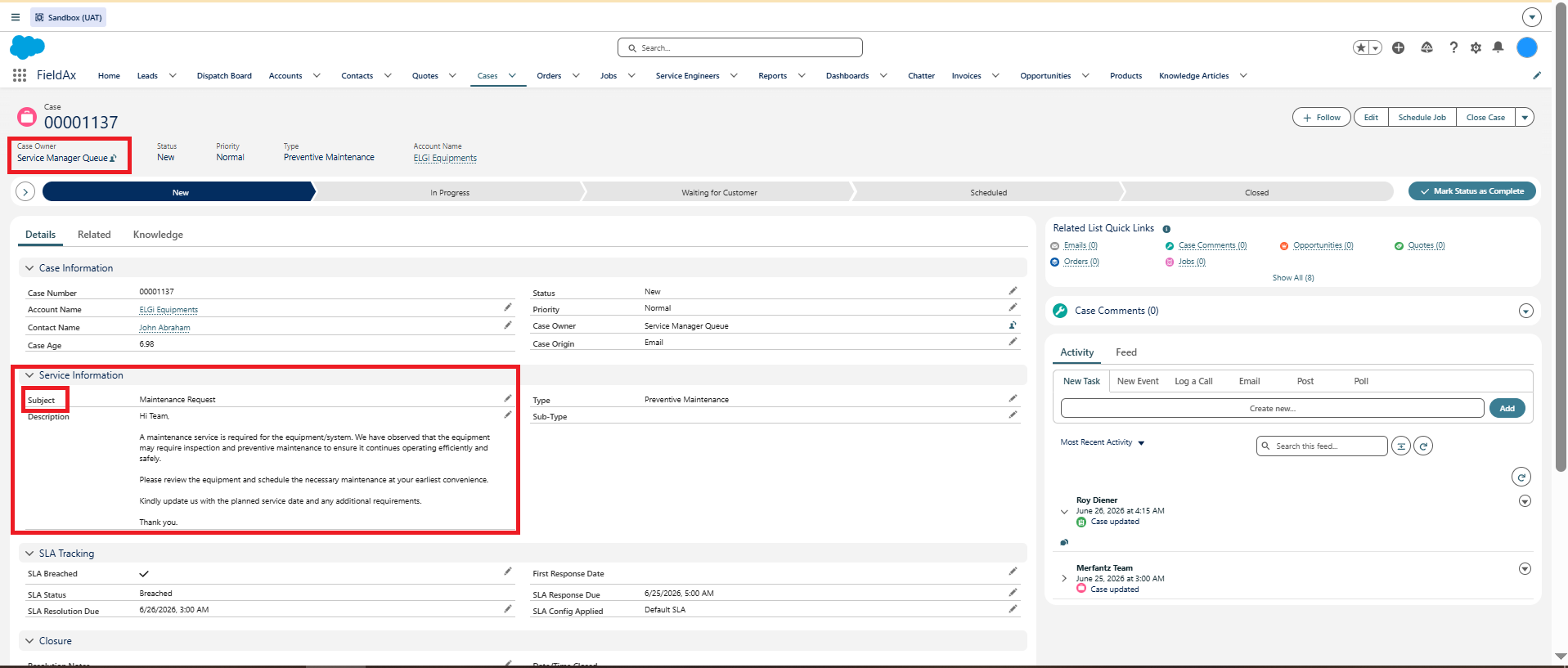
Case creation and Service Repair / Emergency details.

Once the Case is created:

  • The Case is automatically assigned to the Service Queue.
  • SLA Status is set to Within SLA.
  • SLA Response Due and SLA Resolution Due are automatically populated.
  • The Case Owner receives an email notification.
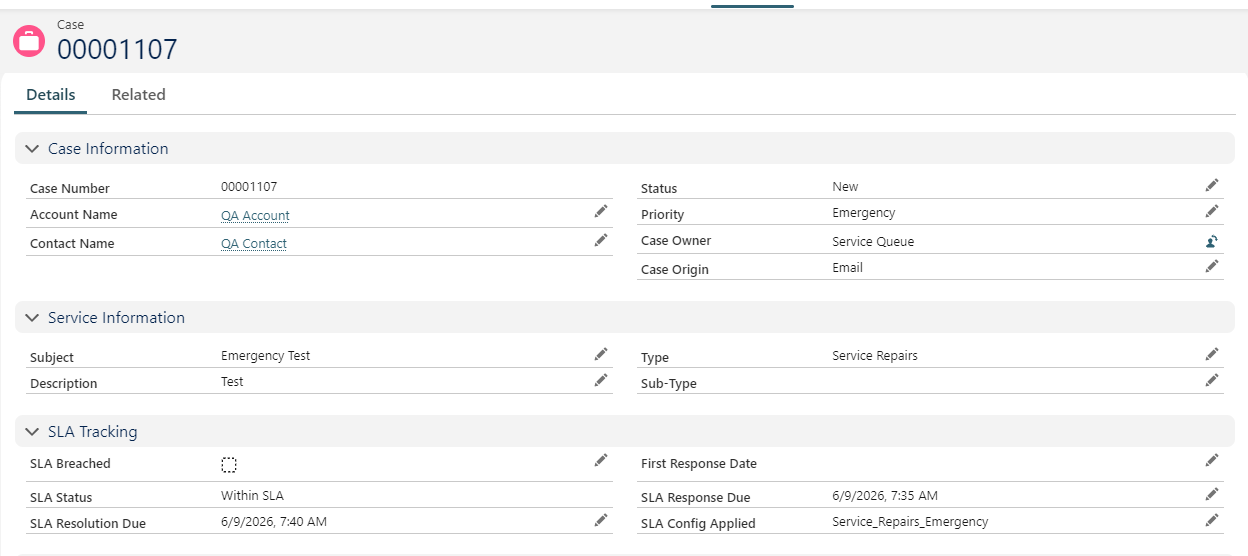
Case detail view — SLA Status set to Within SLA, Response Due and SLA Resolution Due fields populated automatically
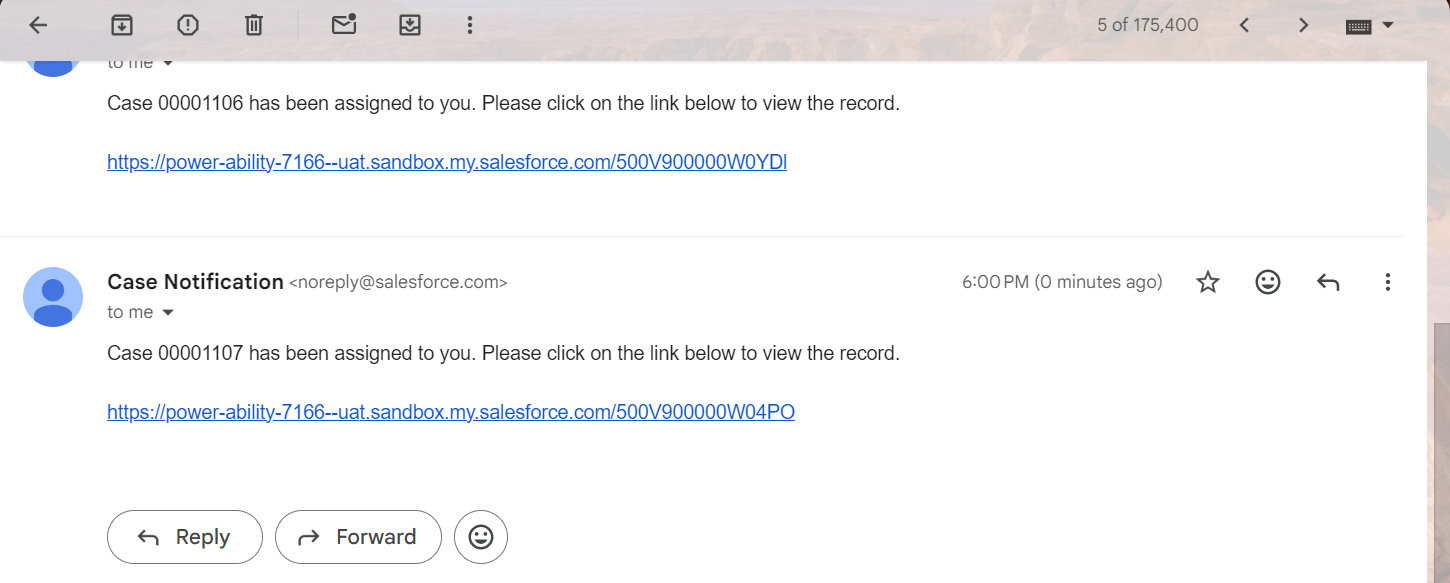
Case creation email notification


Step 2: Monitor SLA – Approaching Breach

FieldAx automatically monitors the Case against its SLA Resolution Due date.

As the resolution deadline gets closer, the SLA Status automatically changes to Approaching Breach.

This allows the team to identify Cases that require attention before the SLA is missed.
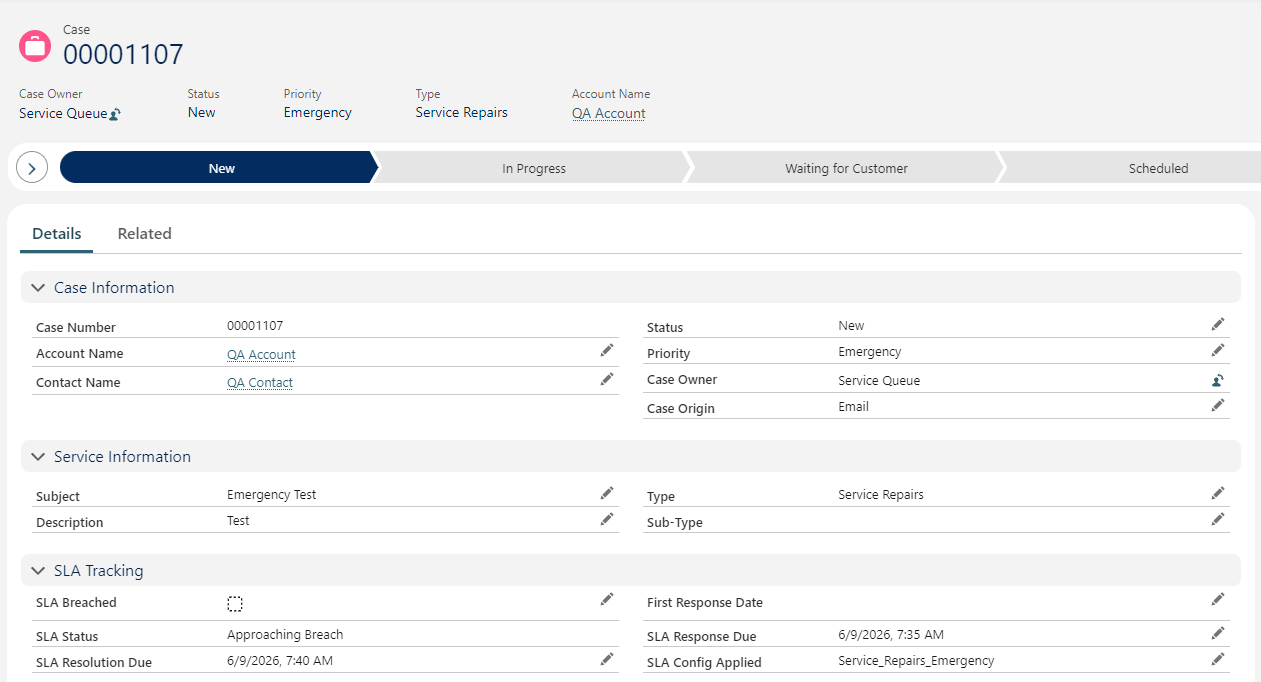
SLA Status showing Approaching Breach.


Step 3: SLA Breach

If the Case is not resolved before the SLA Resolution Due date:

  • The SLA Status automatically changes to Breached.
  • An hourly background process checks open Cases.
  • The SLA Breached checkbox is automatically set to True after the resolution deadline has passed.
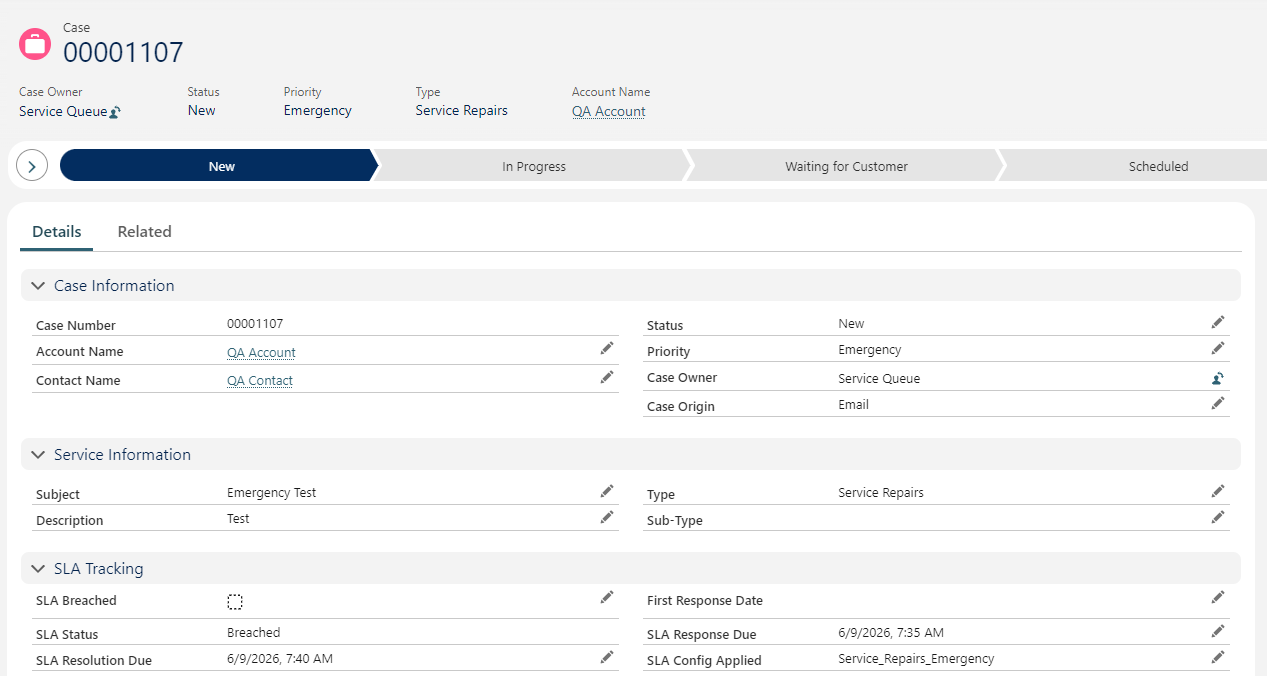
Case showing Breached status and SLA Breached checkbox. 


Step 4: Automatic Escalation

Once the SLA Breached checkbox is set to True, the escalation process continues automatically.

30 minutes after the SLA Breached checkbox is set to True:

  1. An escalation email notification is sent.
  2. The Case Owner is automatically reassigned to the Escalation Queue.
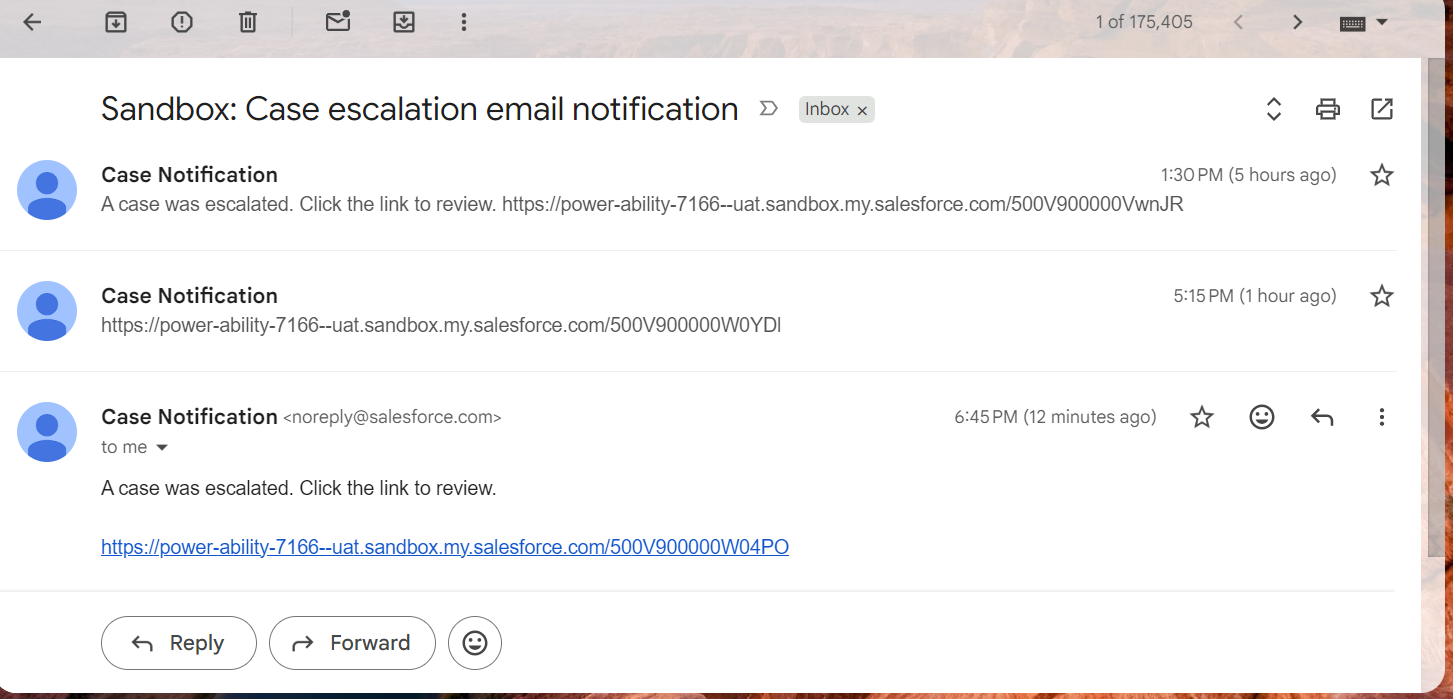
Escalation email notification
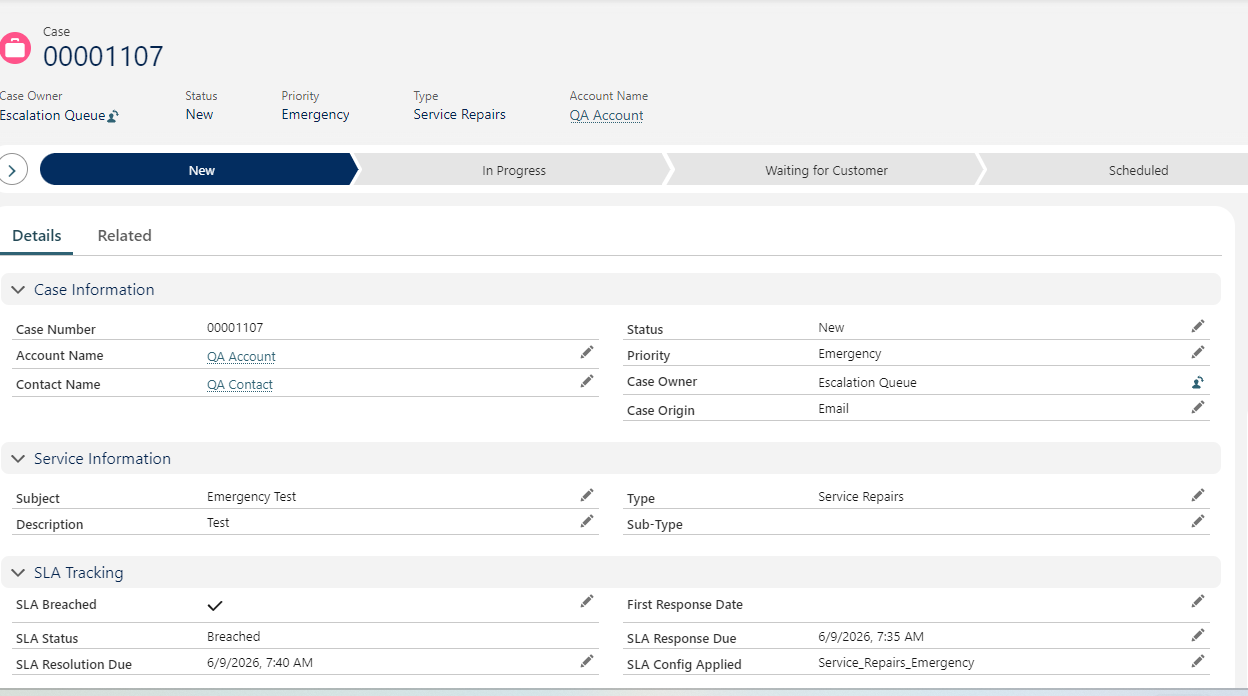
Case Owner reassigned to the Escalation Queue.


Escalation Flow at a Glance
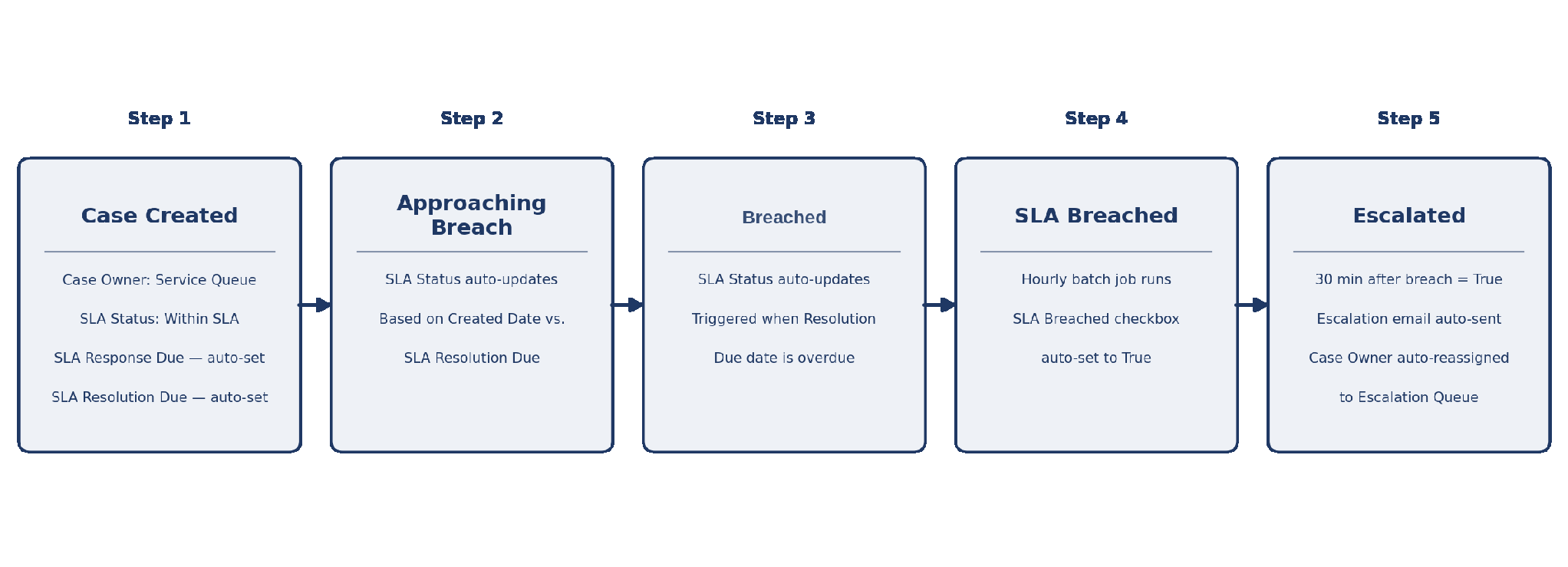
End-to-end case escalation workflow


Important

  • The process automatically monitors open Cases, so users do not need to manually track SLA deadlines.
  • Approaching Breach indicates that the Case requires attention before the resolution deadline.
  • Breached indicates that the SLA Resolution Due date has passed without resolution.
  • The hourly batch process updates the SLA Breached checkbox.
  • 30 minutes after the breach is identified, an escalation email is sent and the Case is moved to the Escalation Queue.
  • The Case remains in the Escalation Queue until the appropriate team addresses and resolves it.

What are your Feelings

  • Happy
  • Normal
  • Sad
Merfantz Technologies is a leading Salesforce consulting firm dedicated to helping small and medium enterprises transform their operations and achieve their goals through the use of the Salesforce platform. Contact us today to learn more about our services and how we can help your business thrive.

Discover More

Terms and Conditions
Privacy Policy
Cancellation & Refund Policy
Information Security Policy

Contact Info

  • No 96, 2nd Floor, Greeta Tech Park, VSI Industrial Estate, Perungudi, Chennai 600 096, Tamil Nadu, INDIA
  • (+91) 44-49521562
  • [email protected]
  • 9:30 IST - 18:30 IST

Latest Posts

Salesforce Passwordless Login: How to Set Up Passkeys
Salesforce: Setup Passkey For Users September 10, 2026
How a Manufacturing Company Improved Sales with Salesforce
Case Study: How a Manufacturing Company Improved Sales with Salesforce September 1, 2026
How to Integrate Salesforce with Your Website or App August 25, 2026

Copyright @2023 Merfantz Technologies, All rights reserved